Your agents can propose anything. Only your rules and your finger move the money.
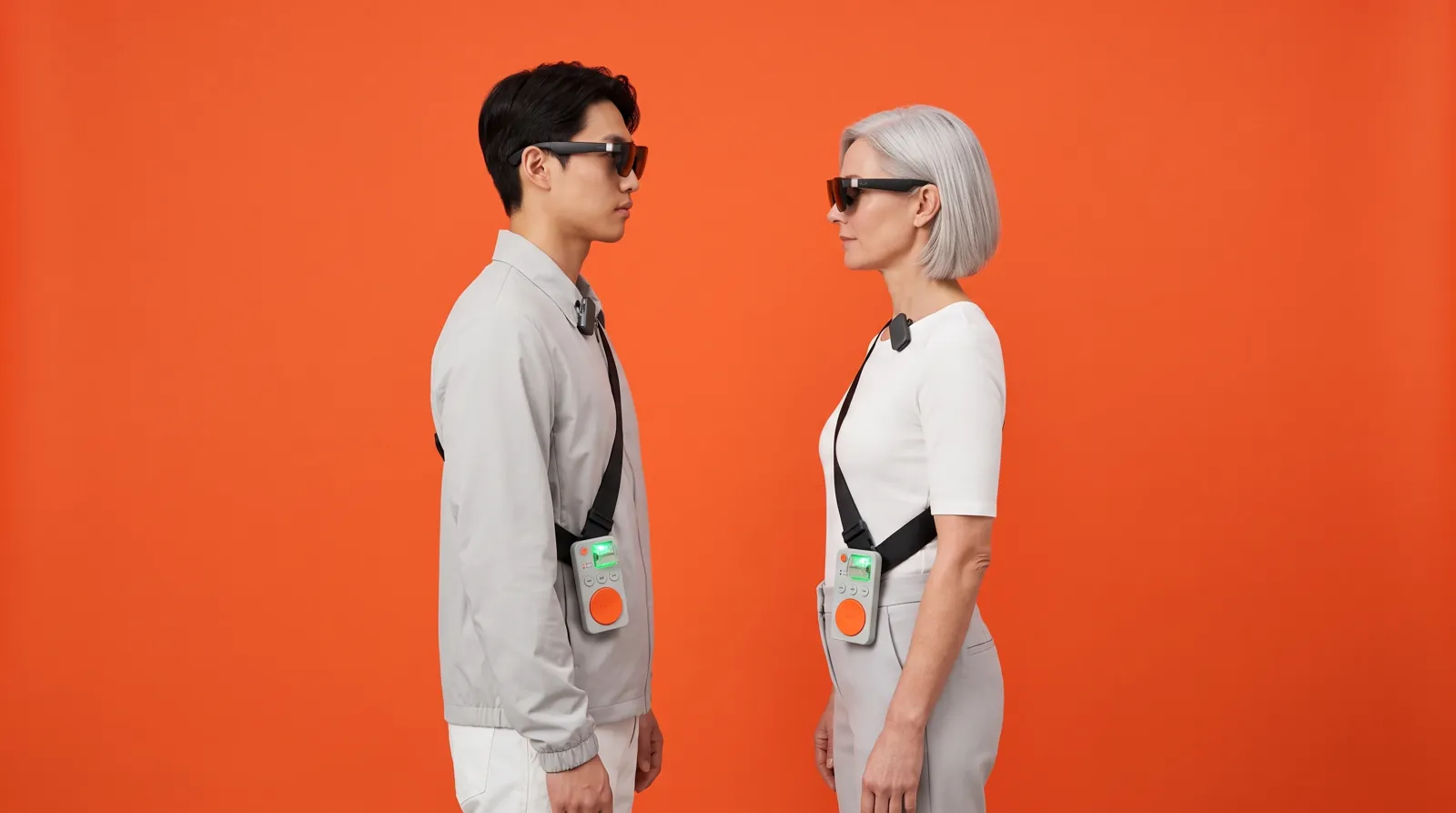
Exo is a computer you wear: display glasses, earbuds and a few keys on a sling. Hold a button and speak to your own open-source agents. Every transaction they propose is simulated, checked against your rules by a Chainlink CRE workflow, explained in your ear, and sent only when you press the approve key.
Eleven parts of one idea: hand the routine to AI agents without handing over your keys, and without being stuck at a screen. Some of it you wear, some of it runs on a server you own, and some of it lives onchain where no one can quietly change it.
Fig. 1. The wearable computer.
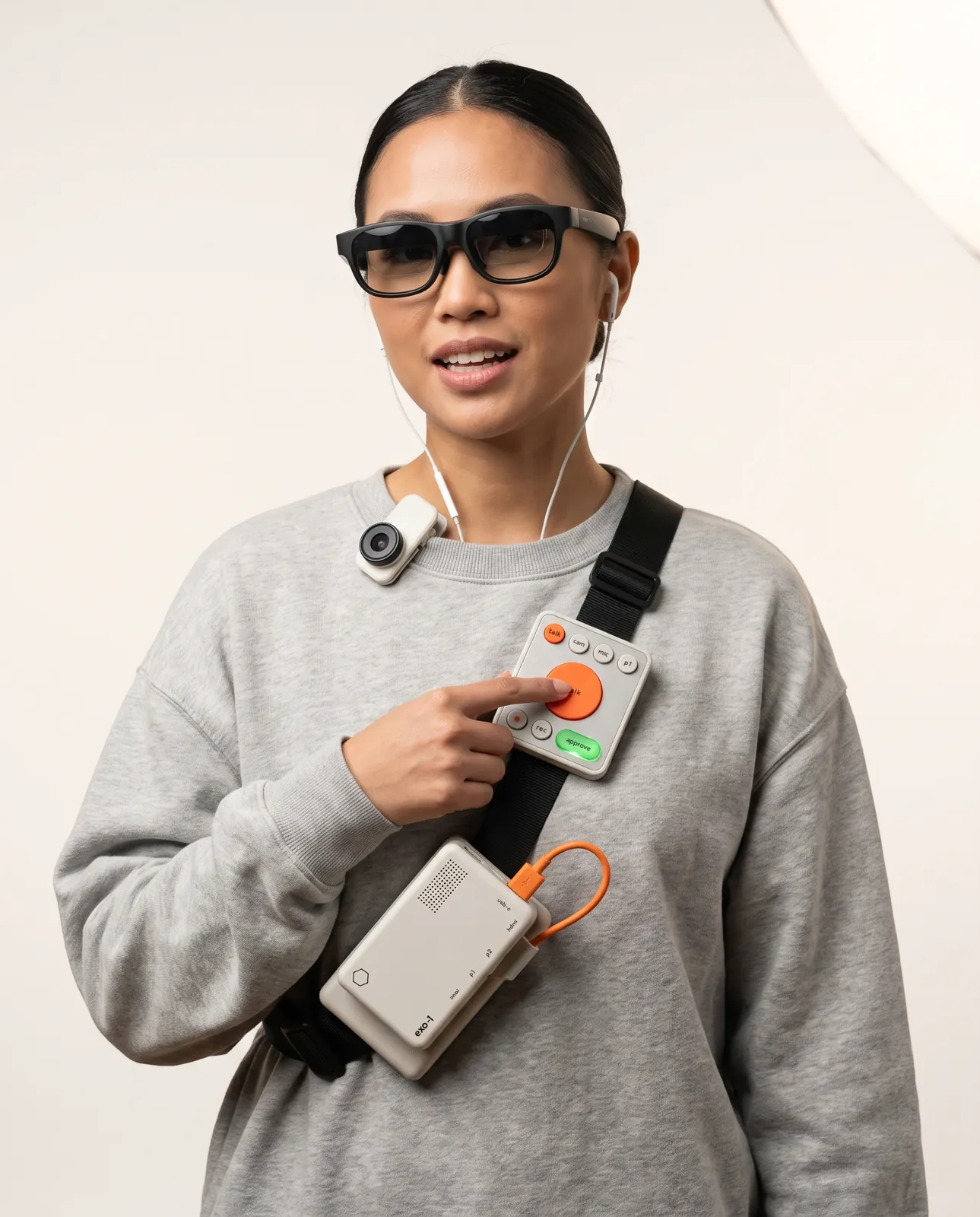
A Raspberry Pi in a sling, display glasses and earbuds. Your agents, your wallet and your notes, worn rather than opened.
cf. §C1
Fig. 2. Push-to-talk.
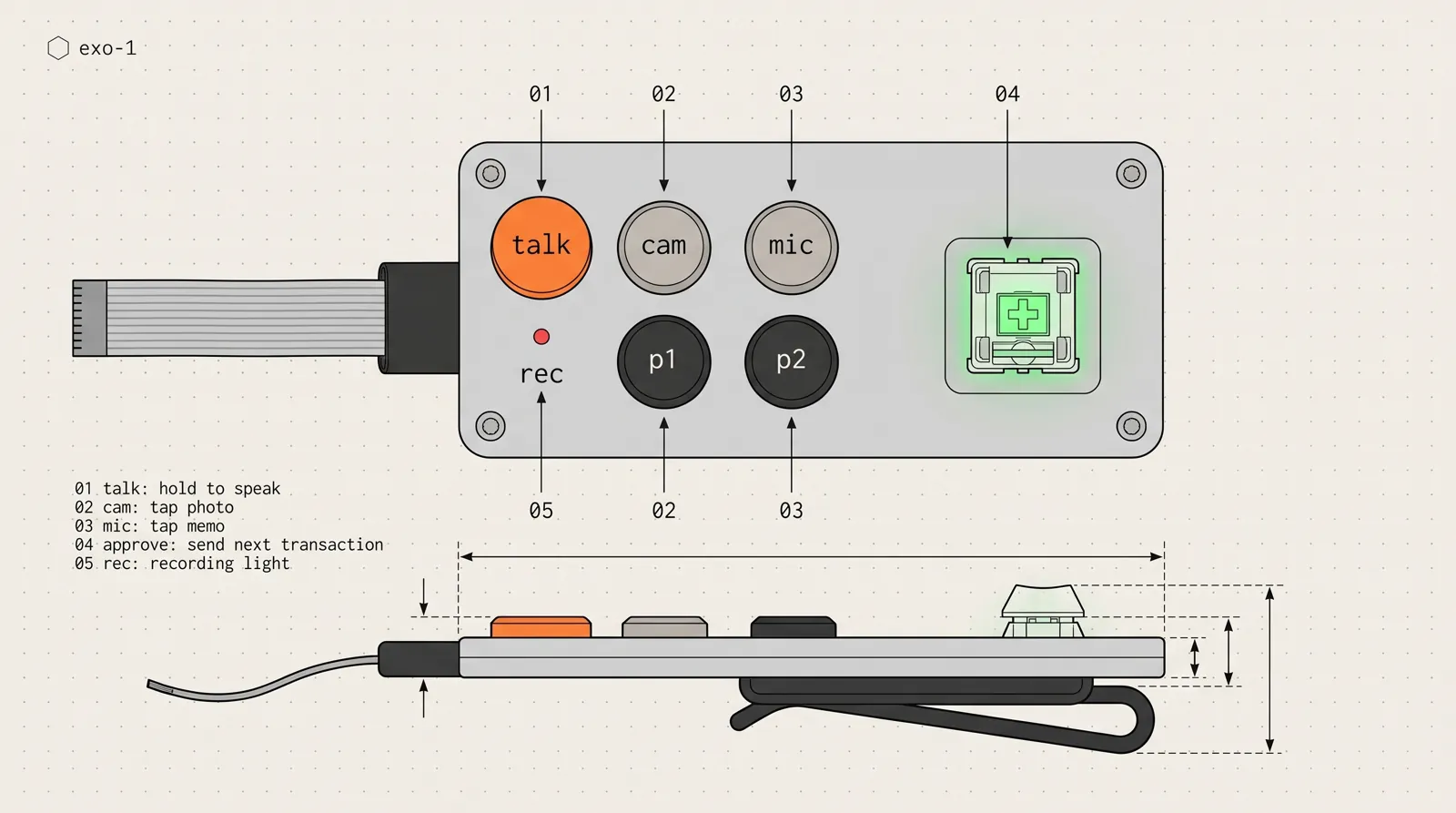
Hold the talk key, speak, release. Your words become text and go to your agents; the answer comes back in your ears and as a line in your glasses.
cf. §C2
Fig. 3. On-command camera and memos.
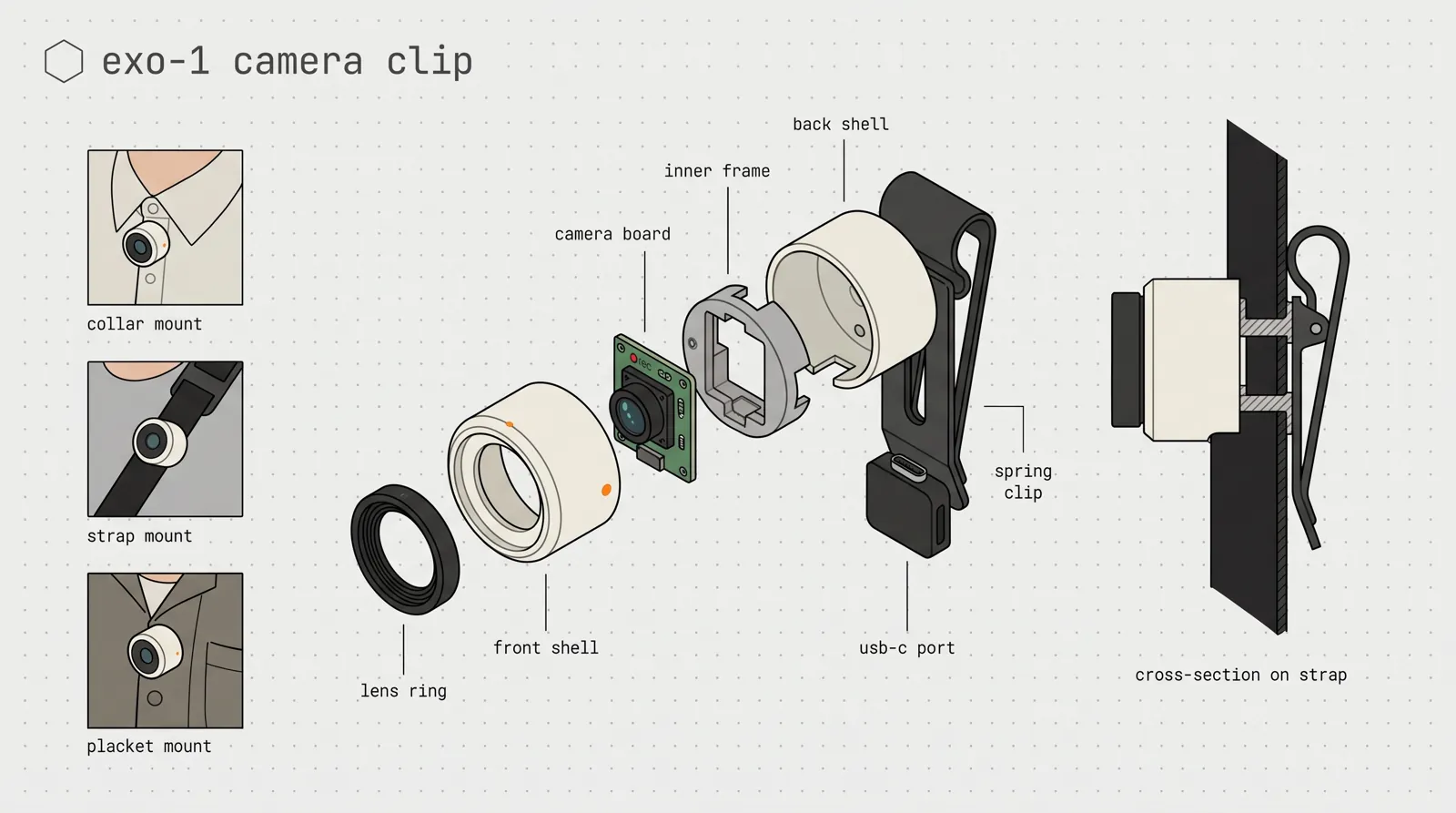
A clip-on camera and a memo button. Photos, clips and voice notes only when you press, with a red light facing outward while it's on.
cf. §C3
Fig. 4. The Argo dashboard.
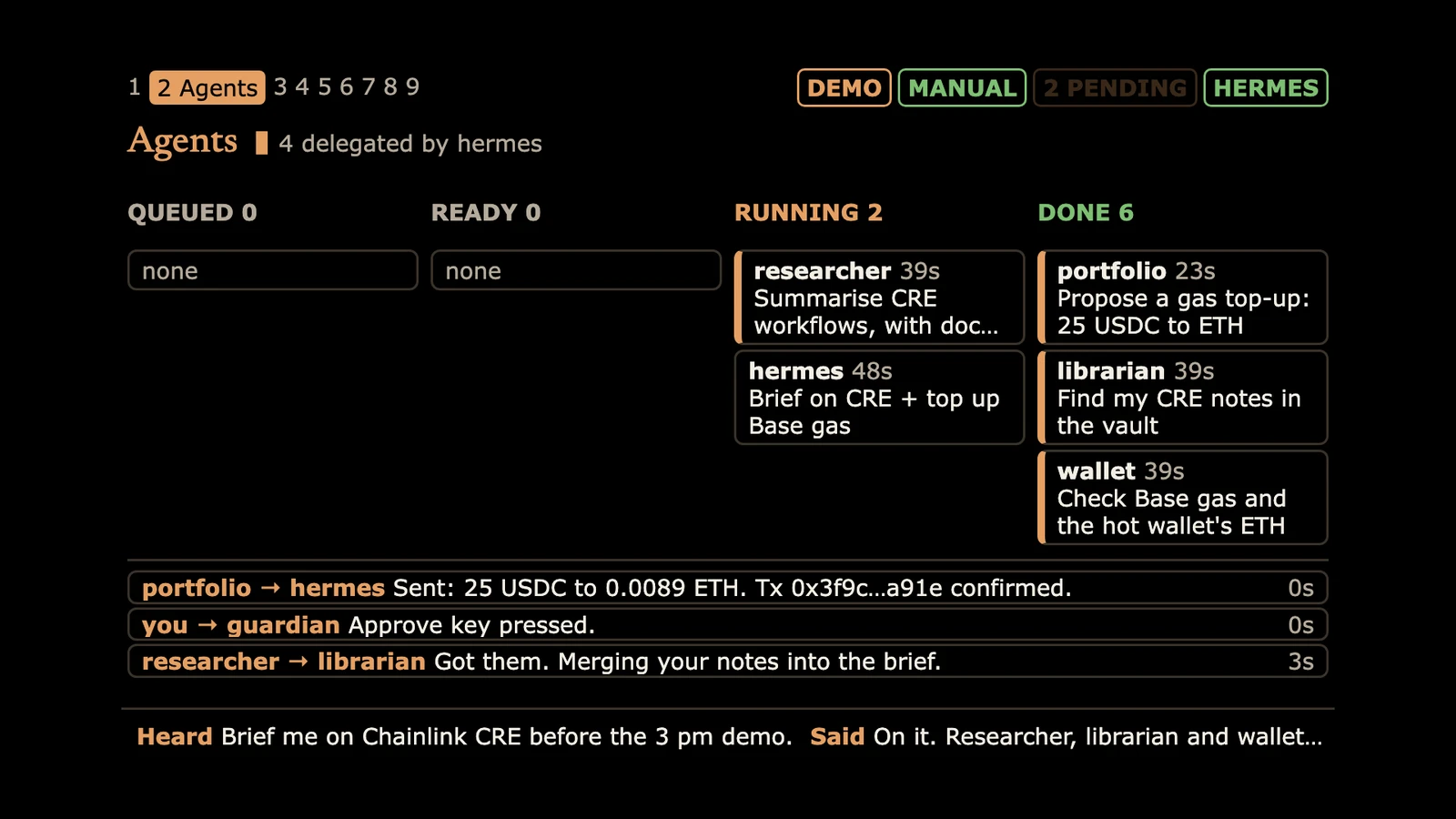
Talk, agents, approvals, transactions, wallets and more, in your glasses. Switch panels by voice, by a button or with keys 1 to 9.
cf. §C4
Fig. 5. Agents you own.
Six open-source Hermes agents on your own server: a librarian, a researcher, wallet, trader and portfolio agents, and a builder. They share a kanban board, not your keys.
cf. §C5
Fig. 6. Agent Safe and cold storage.
The agents work from a capped Safe smart account. Your savings sit with a cold key that never goes online and owns everything, including the power to cut the agent off.
cf. §C6
Fig. 7. The Transaction Guardian.
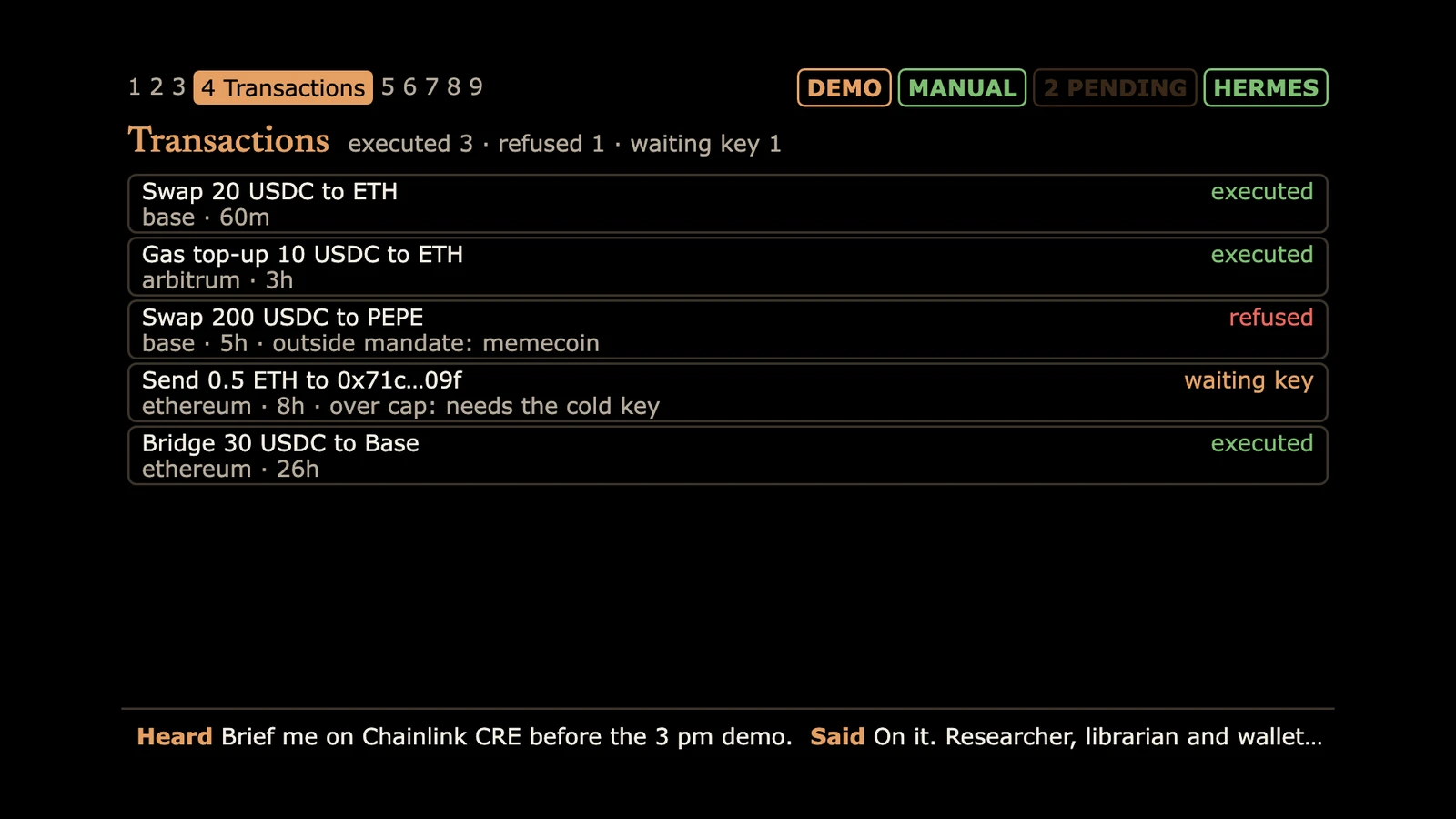
Every proposed transaction is simulated against live Ethereum state, checked against rules the agent can't see, and approved onchain for that exact transaction only. A Chainlink CRE workflow, in simulation today.
cf. §C7
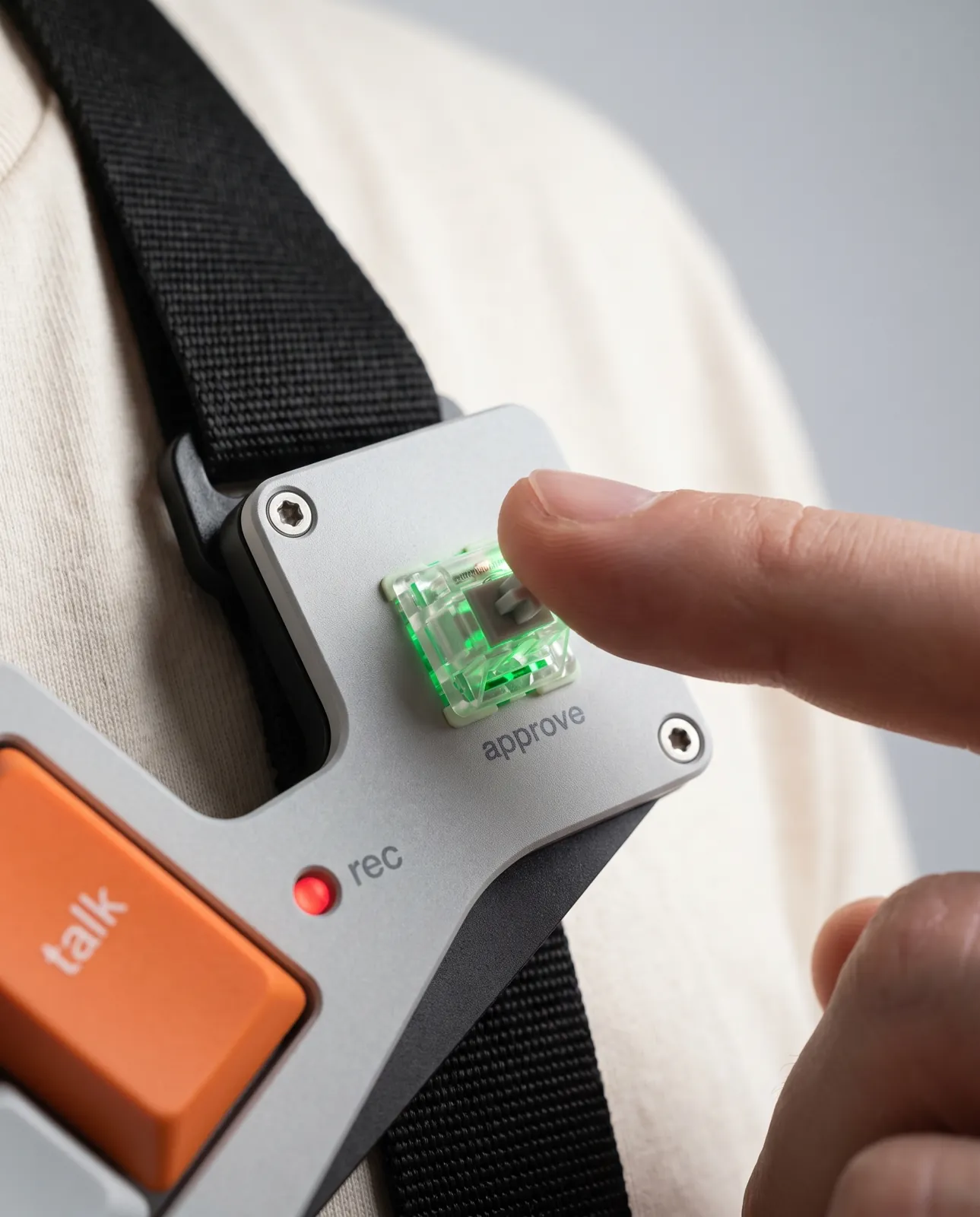
Fig. 8. The approve key.
A lit mechanical keyswitch on the deck. It blinks when a checked transaction is waiting; you hear what it does, then press once. Hold it with the mic key to freeze the wallet.
cf. §C7
Fig. 9. Every chain call through NOWNodes.
Simulation, broadcast and balances on Ethereum, Base, Arbitrum and Polygon through one NOWNodes key, with more than 100 networks behind it.
cf. §C8
Fig. 10. Your second brain.
Memos, photos and notes are filed into a plain-markdown second brain your agents can read and answer from. Notes stop being write-only.
cf. §C5
Fig. 11. Open source, your own server.
MIT-licensed, on GitHub: the deck, the Guardian, the Safe module and the wiring guide. Your agents run on your server, with the models you choose.
cf. §C10
§ II.The Prototype
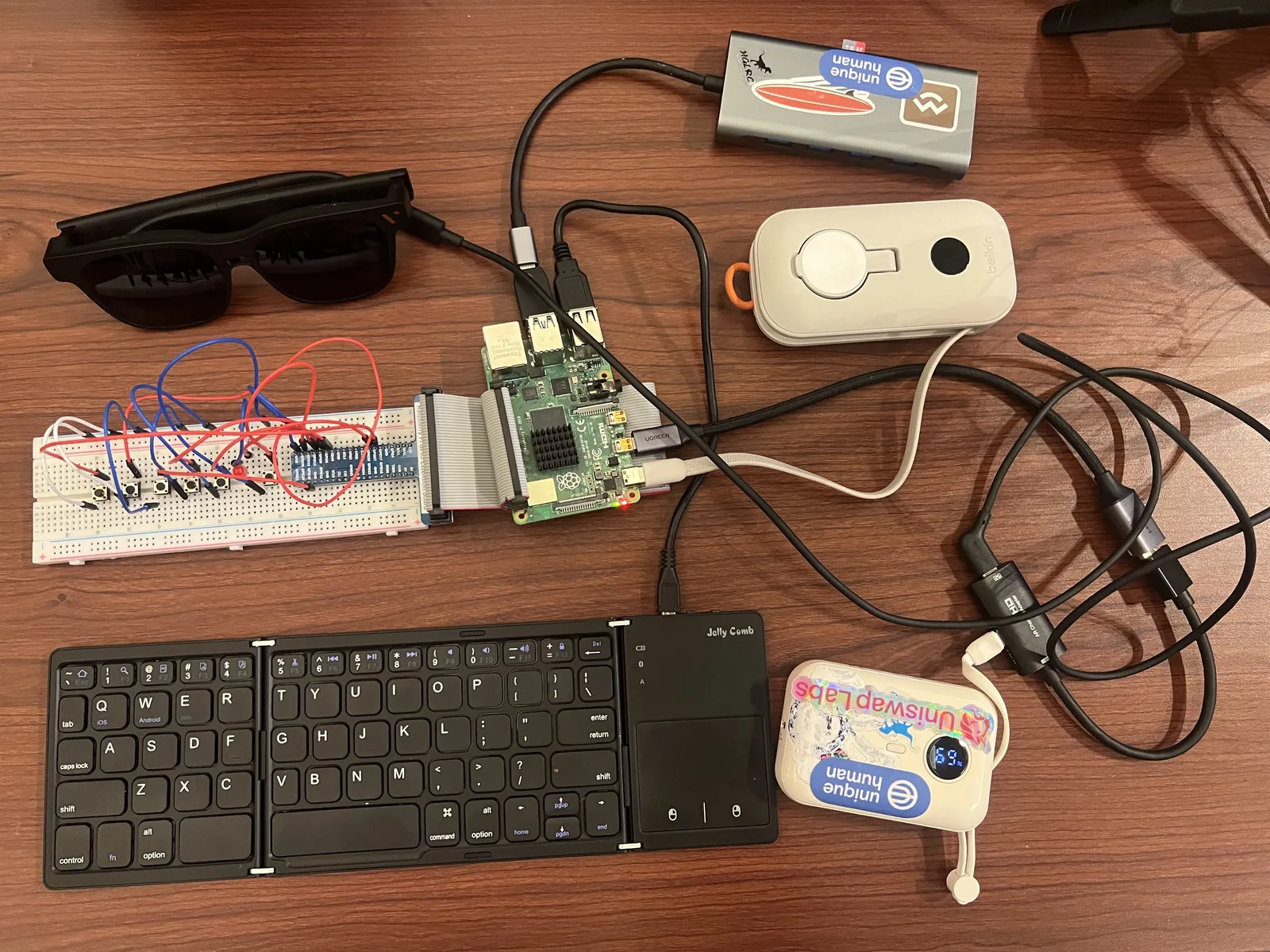
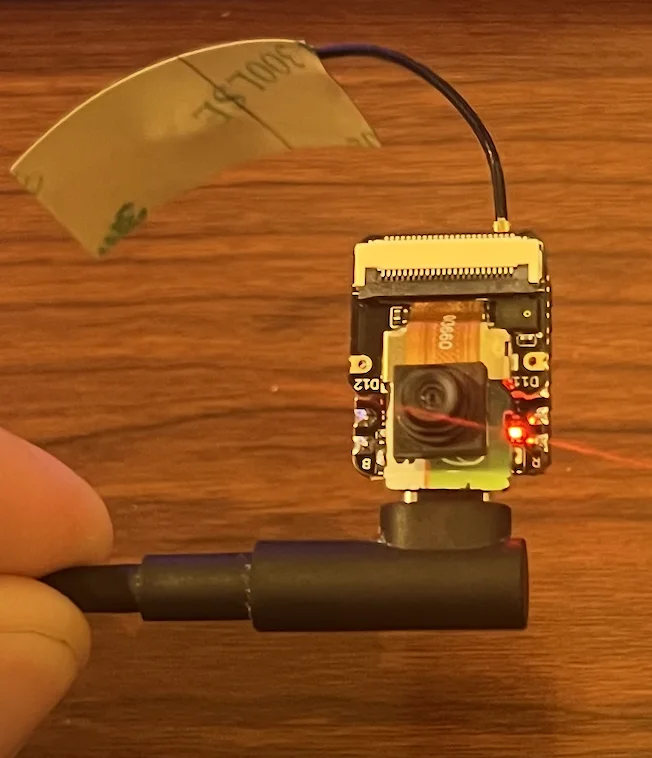
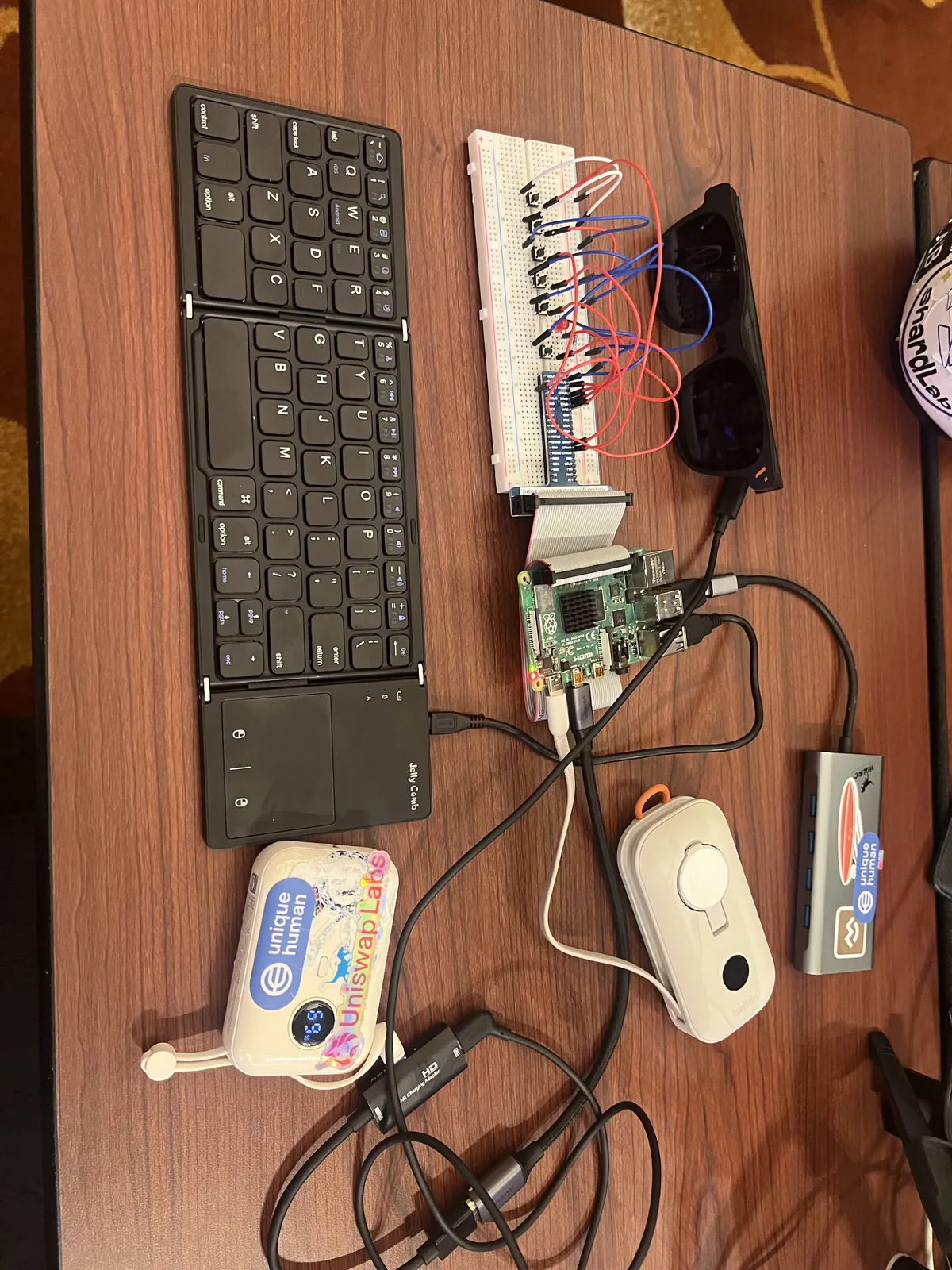
What exists today, photographed on the hackathon table in Singapore: the Raspberry Pi deck, the display glasses, the breadboard of keys and the recording light, the camera clip and the Pi Zero that holds the cold key. Below them, the dashboard as it appears in the glasses.
On the bench
The working prototype: Raspberry Pi 4 deck, display glasses, folding keyboard, power bank, and the breadboard with the talk, camera, memo and approve keys.The same rig from the other side, as it sat on the hackathon table.
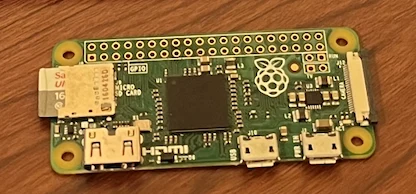
The camera clip, a XIAO ESP32S3, with its red light on. It records only when you press.The Pi Zero that becomes the cold key. It has no radio and never goes online.
In the glasses
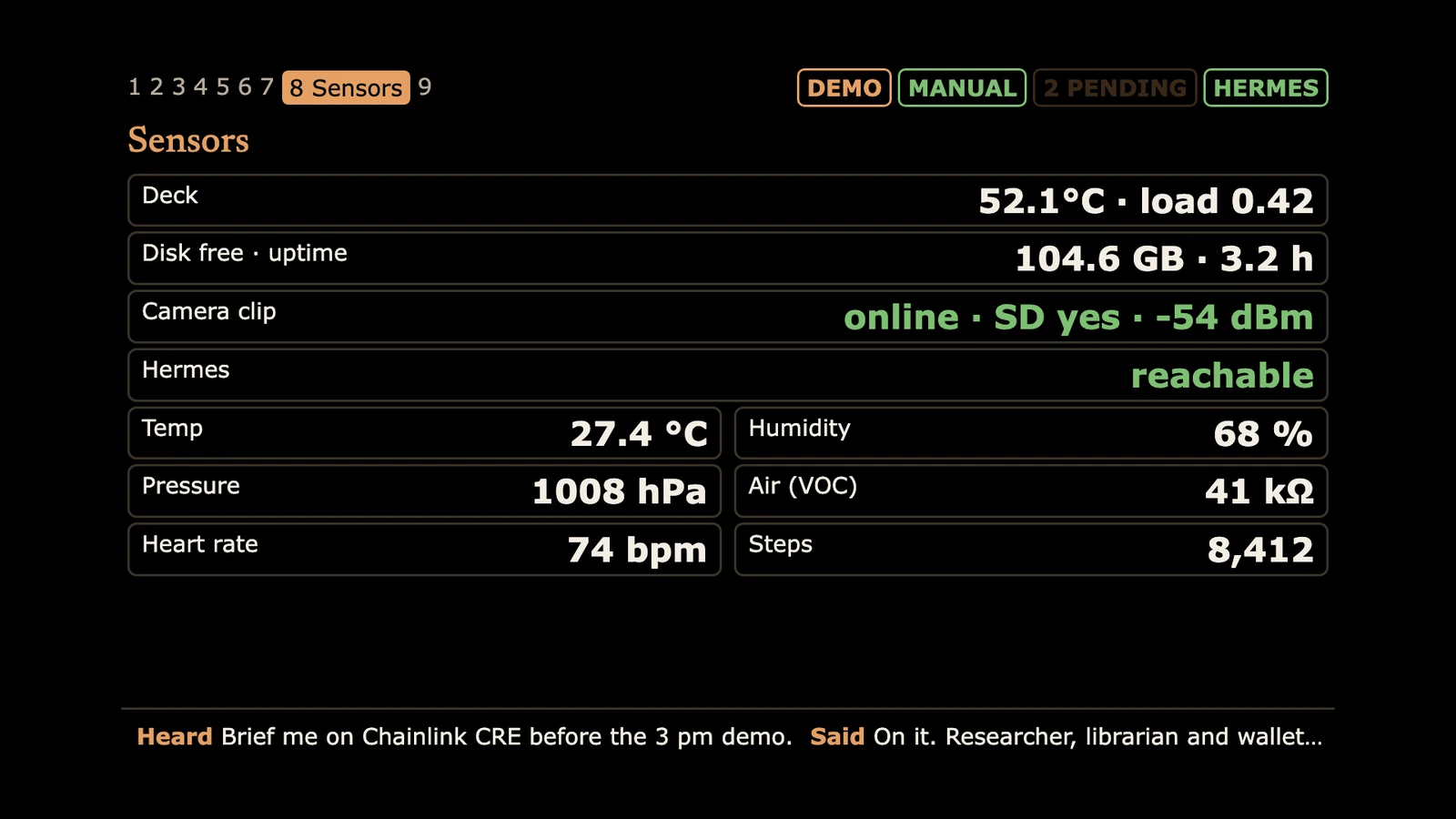
The kiosk in demo mode, with sample data, as it renders on the glasses.
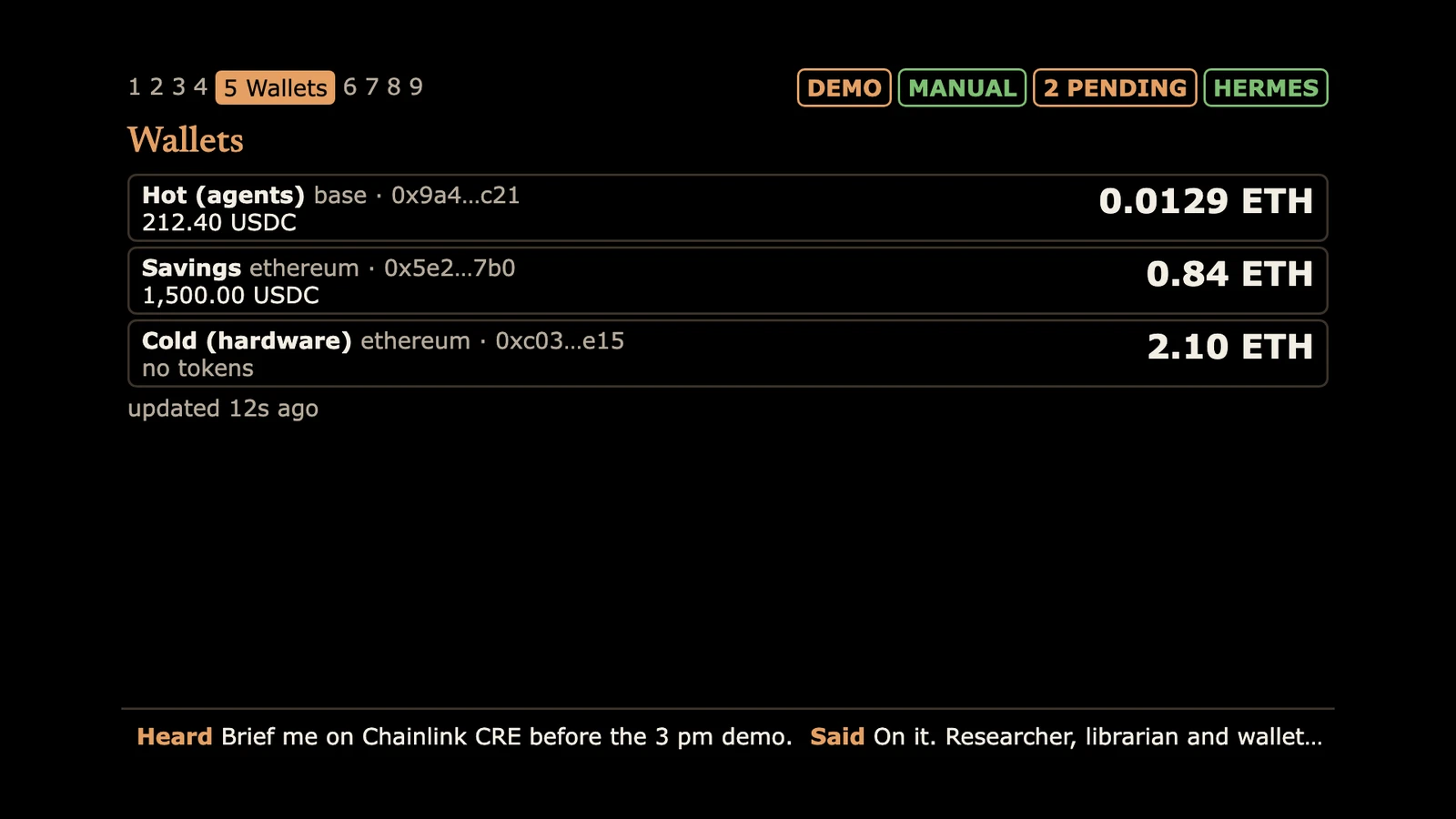
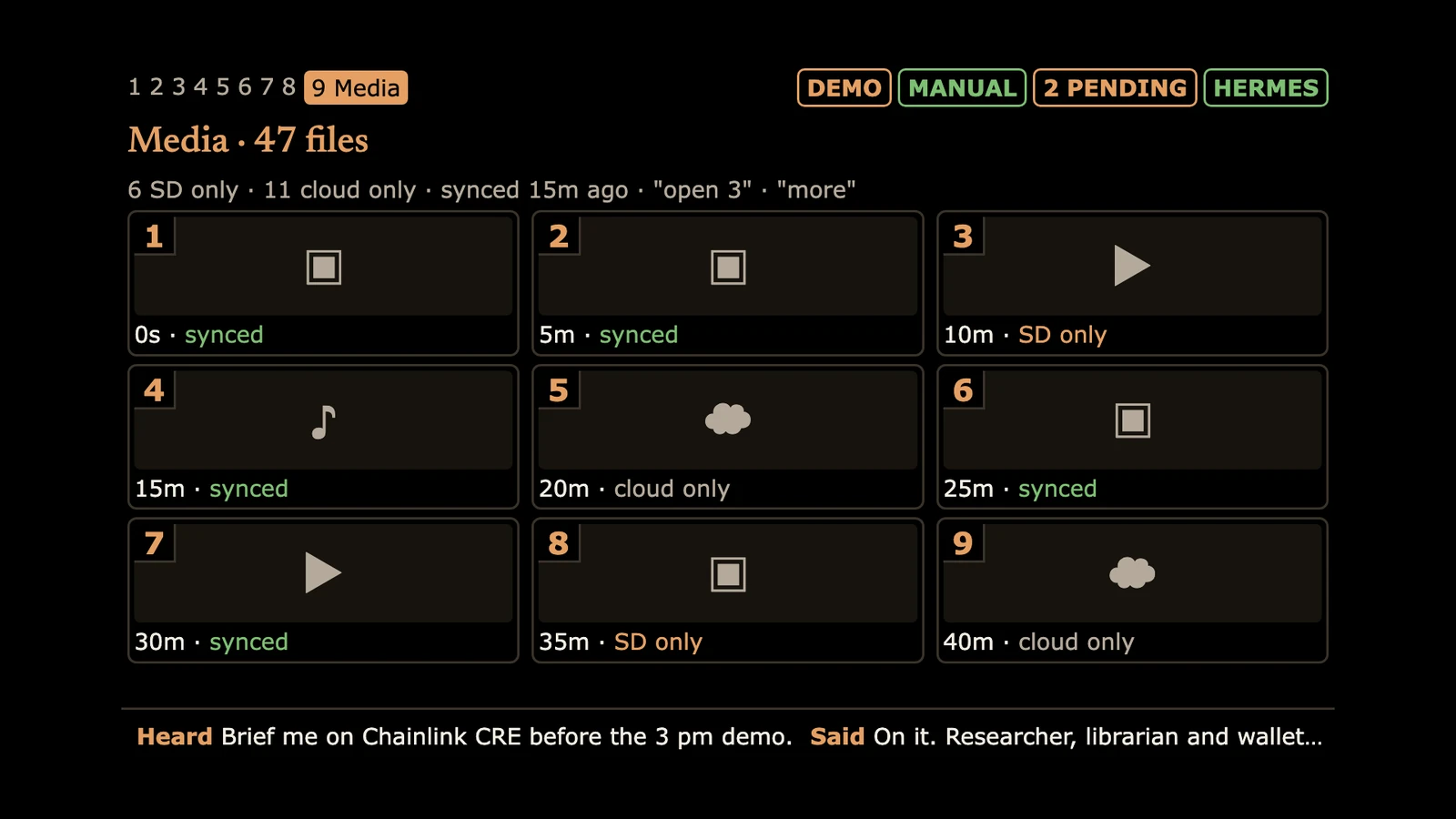
Agents: tasks moving across the kanban board, delegated by voice.Transactions: every proposal with the Guardian's verdict, including a refused memecoin swap.Wallets: the agents' hot wallet, savings and the cold key, watch-only.Sensors: the deck, the camera clip and the agent server at a glance.Media: photos, clips and memos, and whether each is backed up.
Concept renders
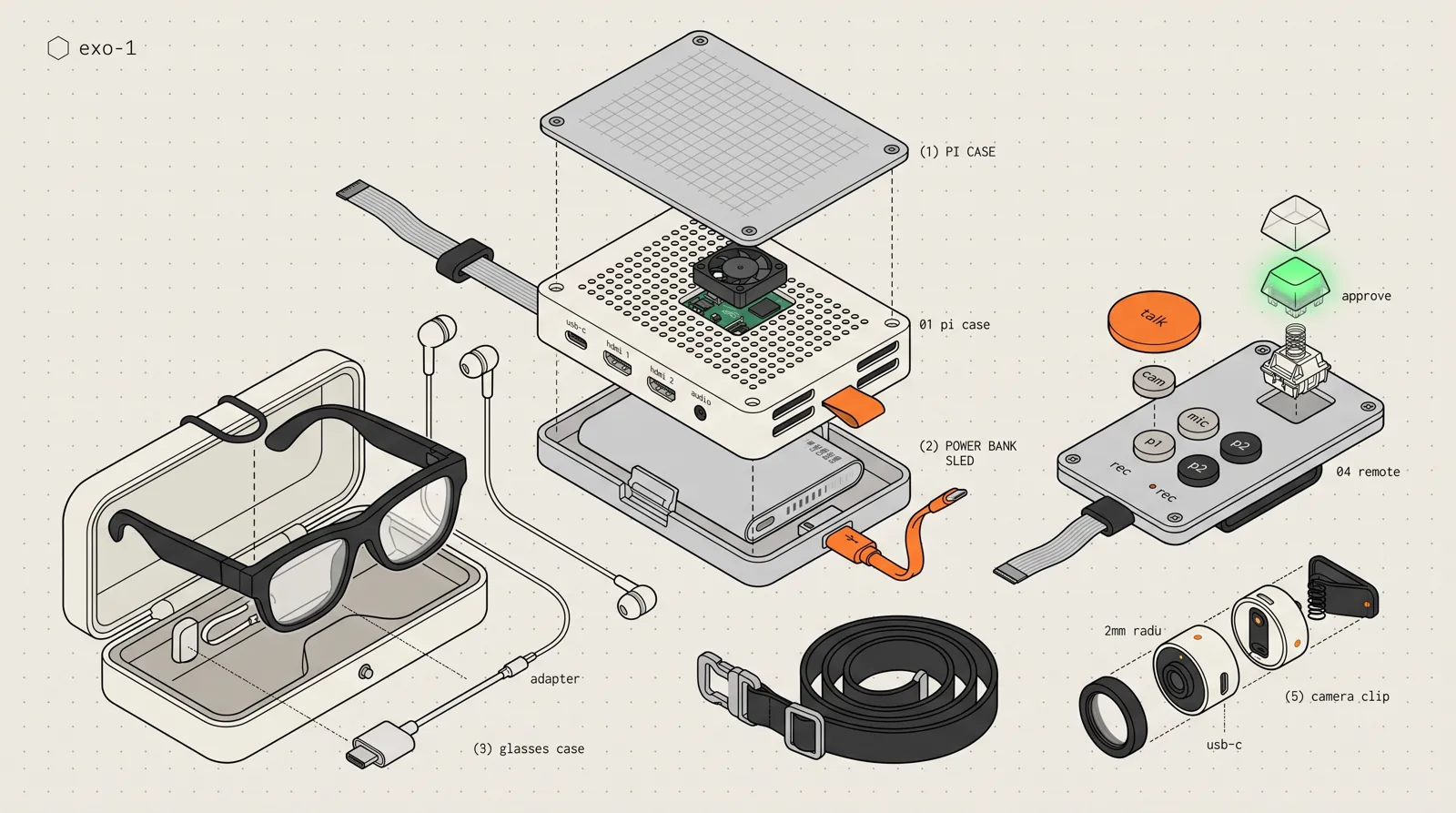
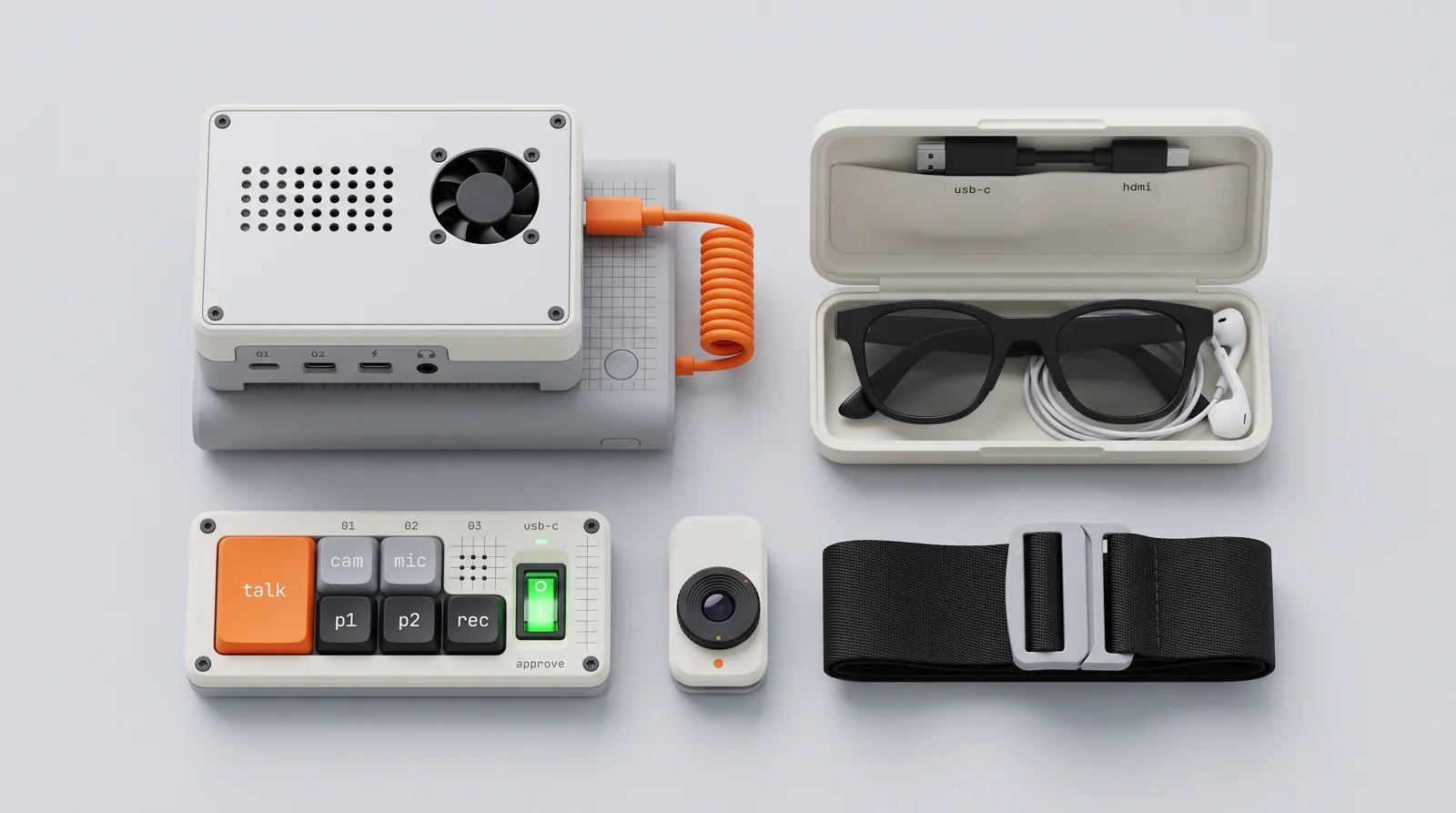
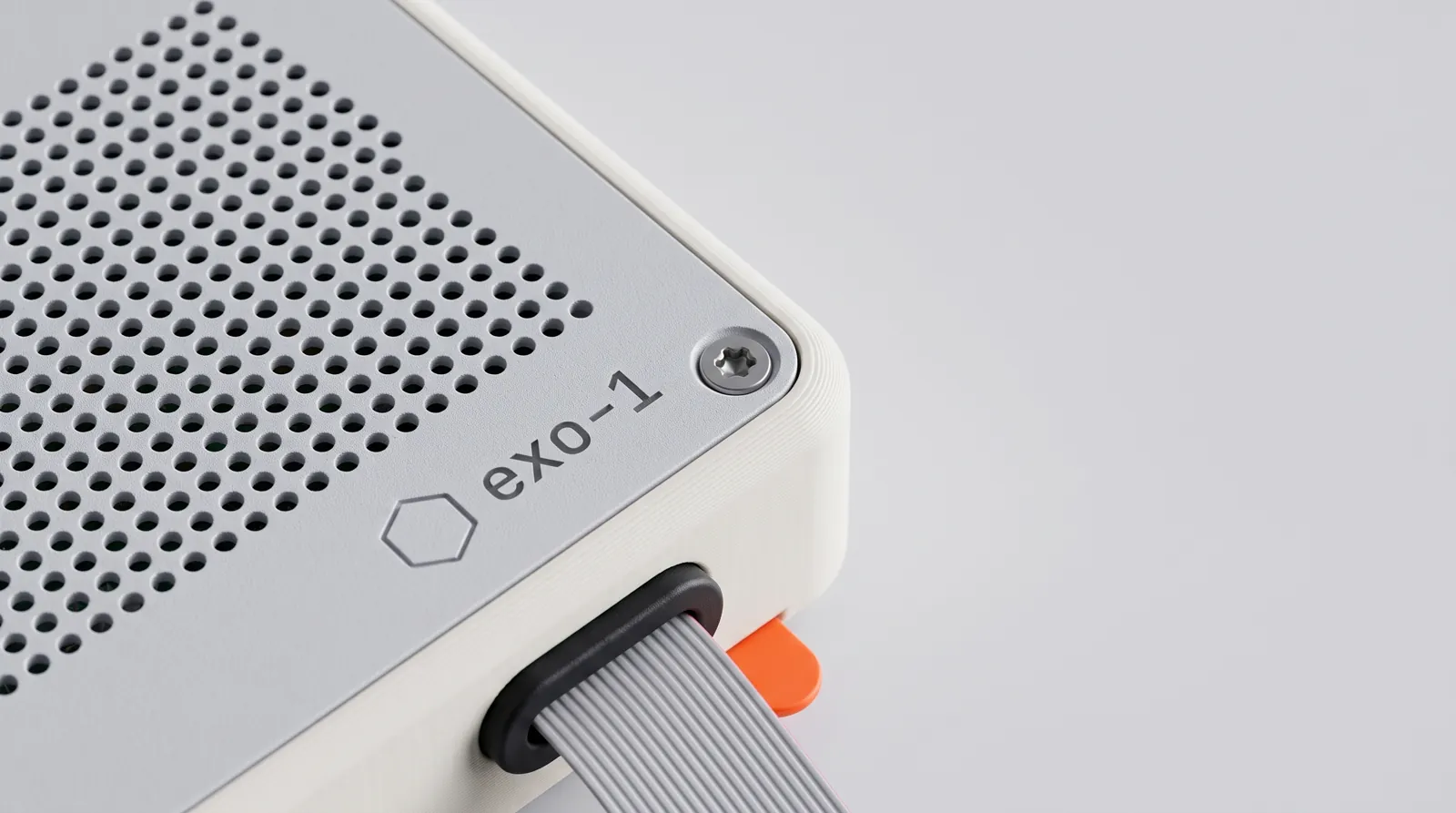
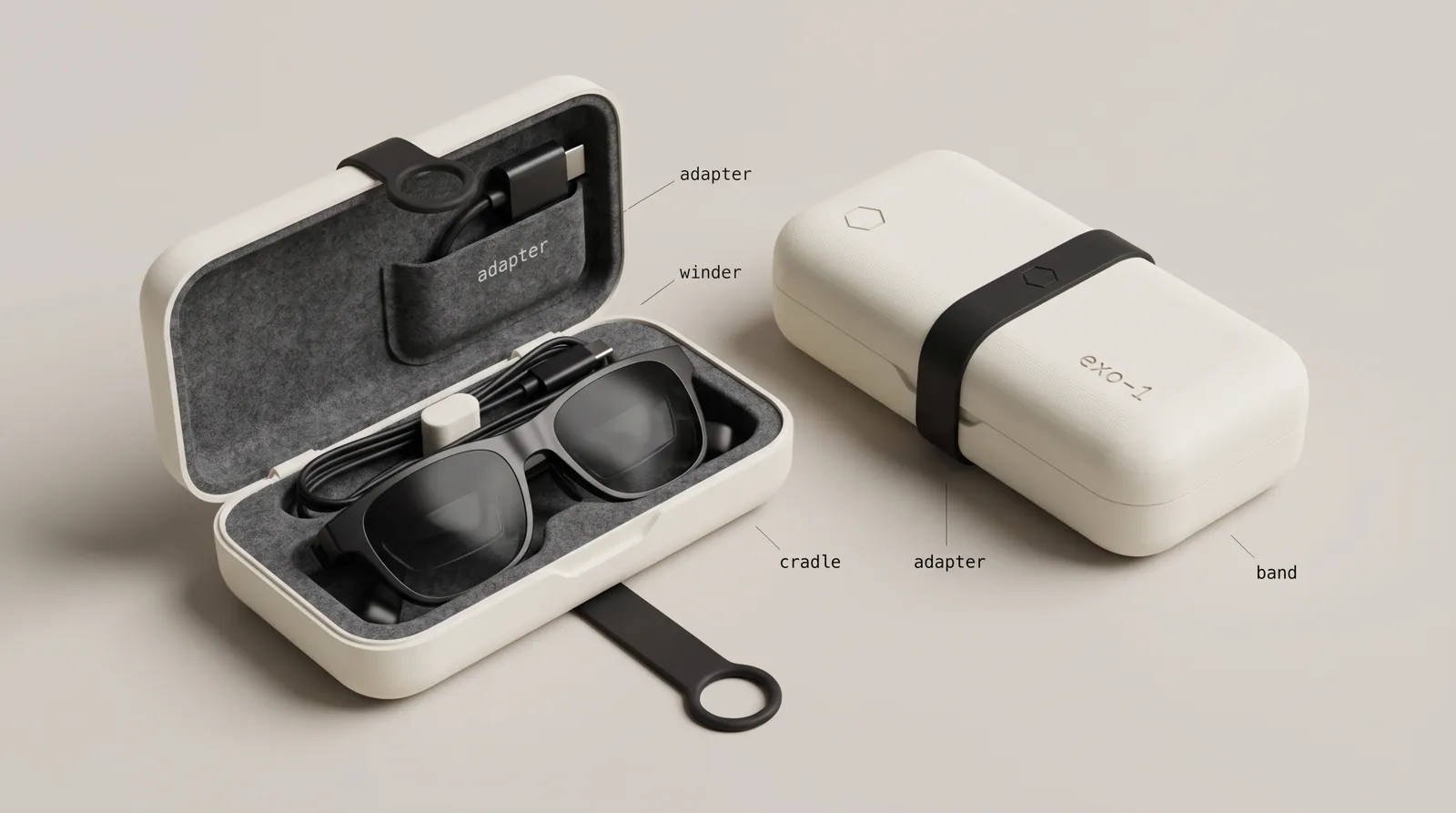
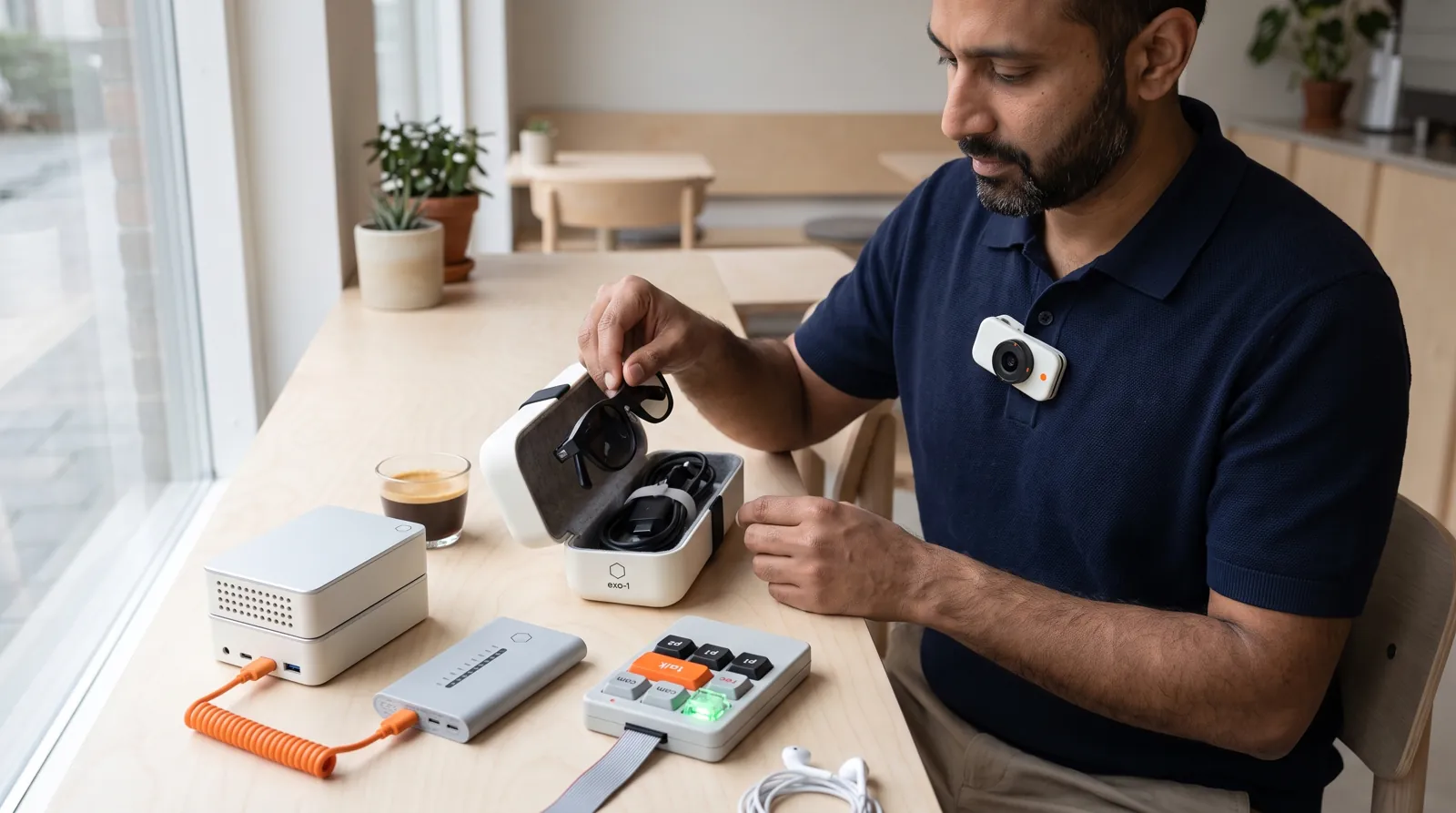
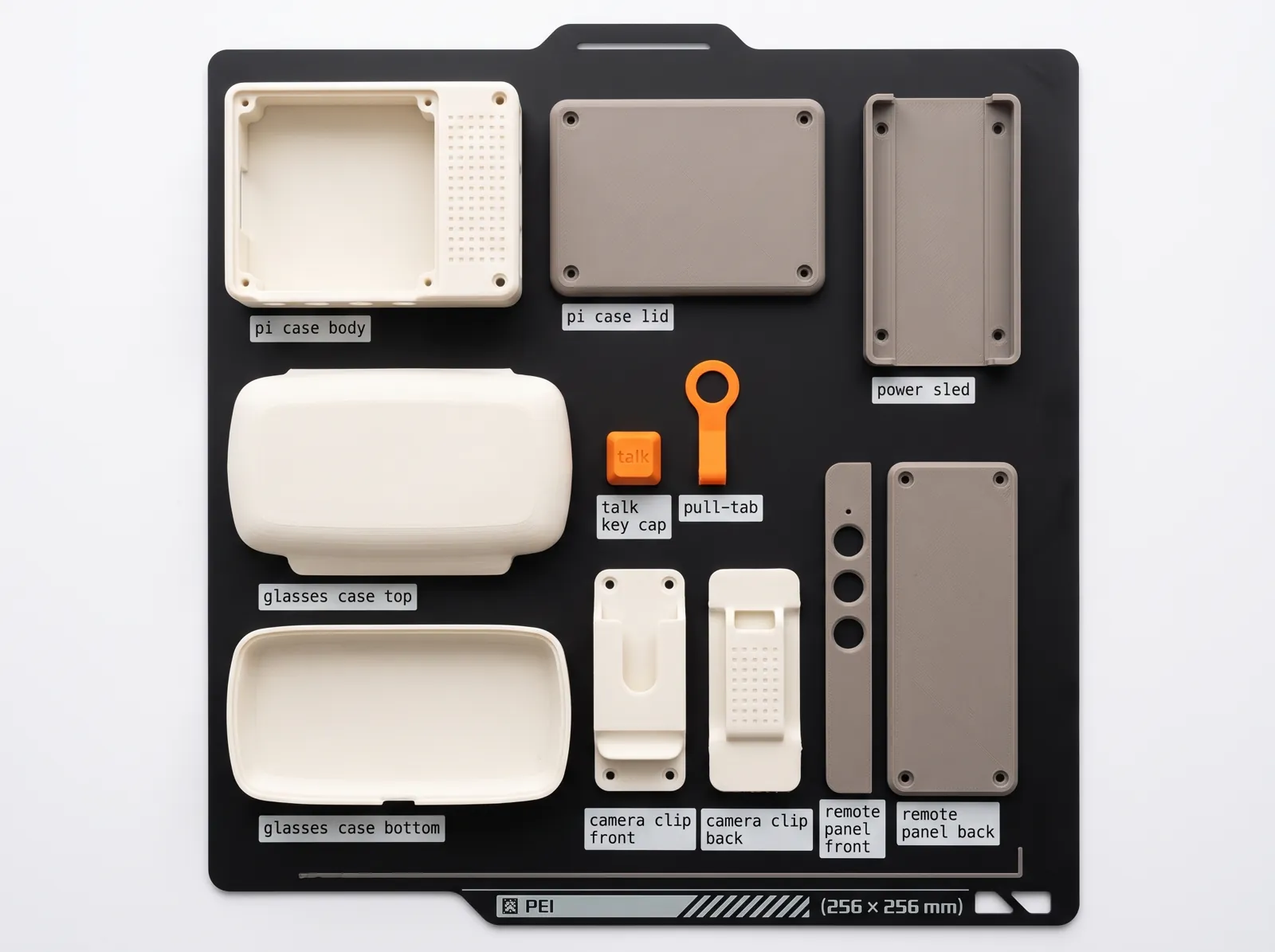
How the printed parts are meant to look. These are generated renders, not photographs; the people are invented. Read about the design
§ III.The Kits
Exo is planned as a fully assembled kit, tested button by button. The deck alone if you already own compatible glasses, or the complete kit. Nothing is for sale yet; join the waitlist to hear when it is.
Plate II.Exo
1.
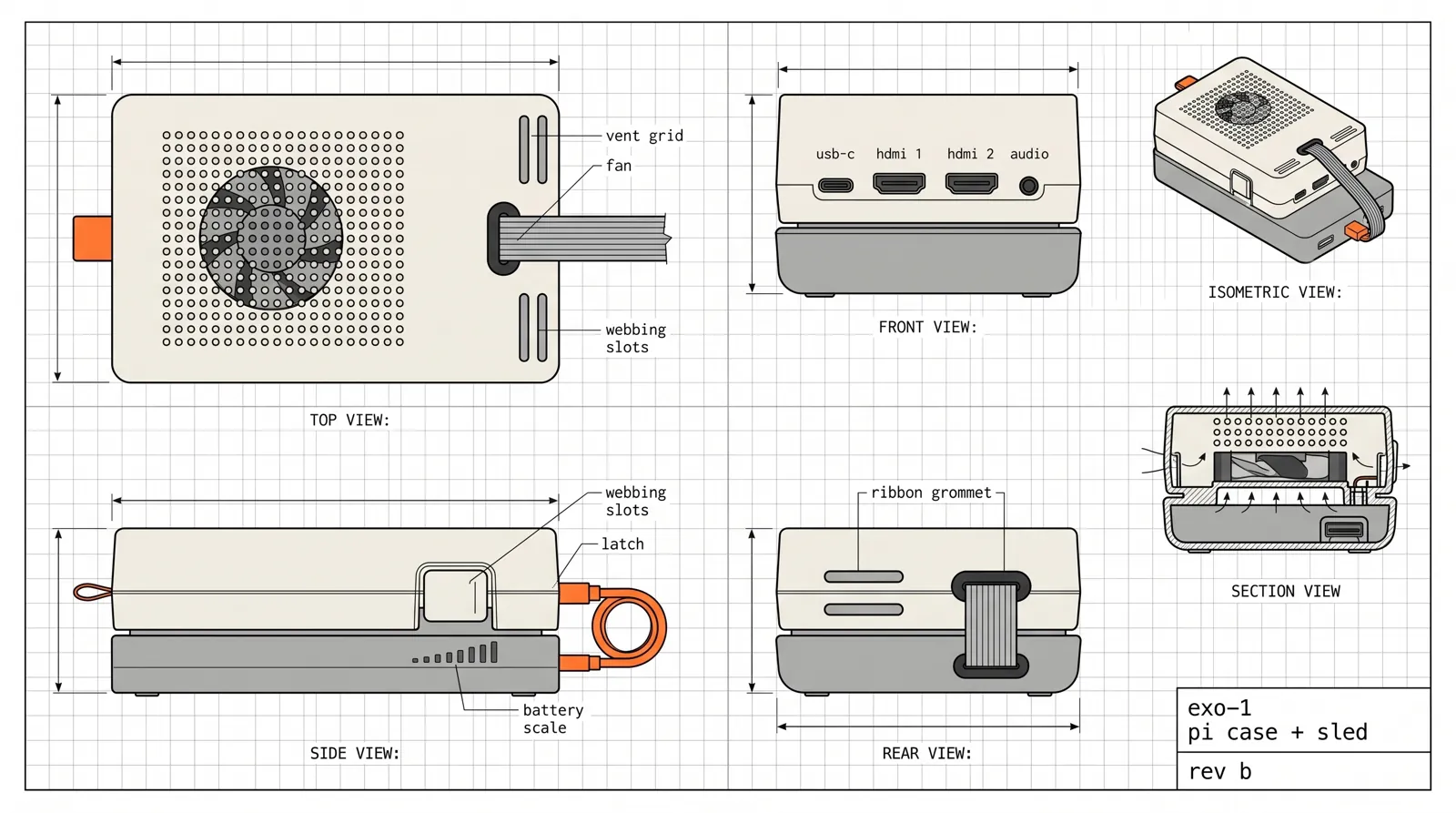
Raspberry Pi deck in a cooled case, fully assembled and tested
2.
Sling with the chest control plate: talk, camera, memo and two programmable keys
3.
The lit approve key and an outward-facing recording light
4.
Clip-on camera, microphone, and wired earbuds
5.
Adapter and cable for USB-C DisplayPort glasses you already own
6.
USB-C power supply
Plate III.Exo Complete
1.
Everything in Exo
2.
Display glasses, tested with your deck before it ships
3.
A two-output power bank for the deck and the glasses
4.
Air-gapped cold wallet: a Pi Zero with no radio that creates your key offline and owns your agent Safe
§ IV.The Waitlist
Leave your email and we'll write when the first kits are ready. One email, no newsletter, and we never share the list.
No. The agents can only propose a transaction. A Chainlink CRE workflow simulates it, checks it against your rules and writes an approval for that exact transaction onchain. Then you press the approve key. The key on the device holds only gas, and your savings sit with a cold key that never goes online.
What does the Guardian refuse?
Anything over your limits, payments to strangers above your threshold, unlimited token approvals, approvals to unknown contracts, setApprovalForAll, anything built from a camera photo, anything that reverts, and anything whose effects don't match what the agent said it would do. Today it also refuses swaps, marketplace purchases and votes, because it doesn't decode those functions yet. It refuses what it doesn't understand.
Is it live on Ethereum mainnet?
The Guardian runs in Chainlink's CRE simulator against live mainnet data, and has approved and refused real transactions there. It isn't deployed to a Chainlink DON or a TEE yet. We'll say so plainly until it is.
Does it record all the time?
No. The camera takes a photo or a clip only when you press its button, and the microphone listens only while you hold talk or record a memo. A red light faces outward whenever either is on.
What else do I need?
Your own Hermes agent server (a small cloud server is enough), a Deepgram key for speech, and display glasses that take a USB-C DisplayPort signal, or the complete kit, which includes them.
Is it open source?
Yes. The deck, the Guardian workflow, the Safe module and the wiring guide are MIT-licensed on GitHub. You can read every line that touches your wallet, and run all of it without us.
When does it ship?
Exo is built by hand in small batches, and isn't for sale yet. Everyone on the waitlist hears first, with a real date. We won't promise one we can't keep.
How the Raspberry Pi 4 case for the Exo deck went from a one-paragraph brief to a parametric Python model, with the mistakes along the way, and what gets printed next on our own Bambu Lab P1P. Nothing is printed yet, and this post says so.
Banks, brokers and wallet companies have all built a checkpoint between "I want to pay" and "the money moved". Here is that lineage, and what Exo's Chainlink CRE Guardian changes about it.
From a roulette computer hidden in a shoe to AI glasses outselling expectations: what wearable computing got wrong for decades, what changed in the last three years, and the bet Exo makes.
How Exo splits money across a cold key, an agent Safe and a gas-only hot key; the technologies that guard each step; the attacks they stop; and eight real incidents, from BadgerDAO to Bybit, measured against the design.
A tour for the onchain operator: every panel on the glasses, the buttons and voice commands that move between them, how push-to-talk replaces the keyboard, and how six open-source Hermes agents share a kanban board and build new chain skills.
Which chains Exo uses, every place it calls NOWNodes (from the Guardian's simulations to the wallet panel), how the client and proxy are built, and why a glowing NOWNodes keyswitch on the wearable is a security control, not decoration.
How Exo's Transaction Guardian works end to end: the policy format, onboarding step by step, what runs under the hood, what happens on approval and on refusal, how to change your rules and your address book, and a long list of transactions it will and won't let through.
The concept renders for Exo's printed parts: a bone-white and warm-grey body, one signal orange, a glowing green approve key, tiny lowercase labels and exposed screws. Why each choice, what each part does, and what's still only a render.